Pin-Based Review for Lottie: Feedback That Moves With the Animation
 Koha Team•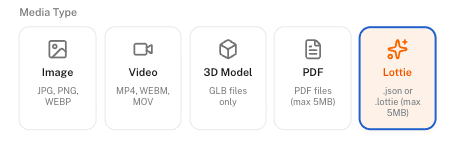
Lottie animations are everywhere now.
They power onboarding flows, loading states, micro-interactions, empty screens, and all the tiny moments that make an app feel polished. But despite how common they are, reviewing them is still surprisingly painful.
Because the moment you try to leave feedback on a moving animation, everything breaks down.
Most teams end up doing some version of:
“the bounce around 0:03 feels weird”
or
“the second icon animation is too fast.”
Then someone records a Loom, draws arrows on screenshots, or sends a Slack message trying to explain what they mean. The designer scrubs through the timeline guessing which element the comment was actually about.
A lot gets lost in translation.
Motion feedback that lands on the exact frame
At Koha, we wanted motion feedback to feel as precise as feedback on a static design. So we built native Lottie review with pin-based comments directly into the canvas.
Now you can pause a Lottie animation on any frame, drop a pin directly onto the element, and leave feedback tied to that exact moment in time.
Not “around 0:03.”
Not “the third bounce.”
The exact frame.
If you place a pin on frame 47, the comment appears when playback reaches frame 47 and fades away as the animation continues. It feels natural, almost like the feedback becomes part of the motion itself.
The result is that reviewers stop describing what they saw and start capturing it directly.
Instead of:
“the logo bounce feels late,”
they pause on the frame, pin the logo, and simply write:
“late.”
The designer opens the file and instantly sees the same moment the reviewer was reacting to.
Pins that understand the layers underneath
But we didn’t want pins to behave like dumb markers on top of pixels.
Lottie files are structured animations with layers, shapes, and animated properties underneath. Koha reads the Lottie JSON and understands those layers, so pins can attach to actual animation elements.
That means if multiple people comment on the same icon, those comments stay connected to that layer even while it moves across the screen.
Open the sidebar and feedback is grouped in a way that actually makes sense:
five comments on the heart icon,
three on the headline animation,
two on the background loop.
Motion designers can immediately tell where attention is concentrated without scrubbing through the entire animation.
Reviewing that stays in the flow
We also wanted reviewing to feel lightweight.
Playback continues normally while pins fade in and out at their assigned frames. The canvas stays clean. If something needs attention, clicking a comment jumps straight to that exact frame with the thread already open.
Watching and reviewing become part of the same flow instead of two separate tasks.
One pin system across every asset
And because Koha uses the same pin system across images, video, PDFs, 3D assets, and now Lottie animations, teams don’t need separate review tools depending on the asset type.
A designer can hand over an onboarding flow containing illustrations, videos, product renders, and animated Lottie interactions, and the entire review process happens in one place with one shared conversation.
If you want the broader picture of how Koha pulls generation, editing, and review into one workspace, this overview covers it.
Once you’ve reviewed motion this way, going back to comments like “the bounce around 0:03” starts to feel ancient.
Motion feedback should move with the animation.
Now it does.