Koha: The AI Creative Workspace Built for Modern Teams
 Koha Team•
Ask any creative team how their week looks and you’ll hear the same story: one tab for generating images, another for video, a third for 3D, then more tabs for editing, another for feedback, and a group chat somewhere holding the whole thing together. It’s exhausting, and honestly, it slows everyone down.
That’s the mess Koha is trying to clean up.
We’re building an AI-powered creative workspace that brings generation, editing, review, and collaboration into the same place, so the work stops getting lost between apps.
The idea is simple: one space where the whole team can actually see what’s being made, weigh in on it, and get it out the door.
Generation that keeps up with you
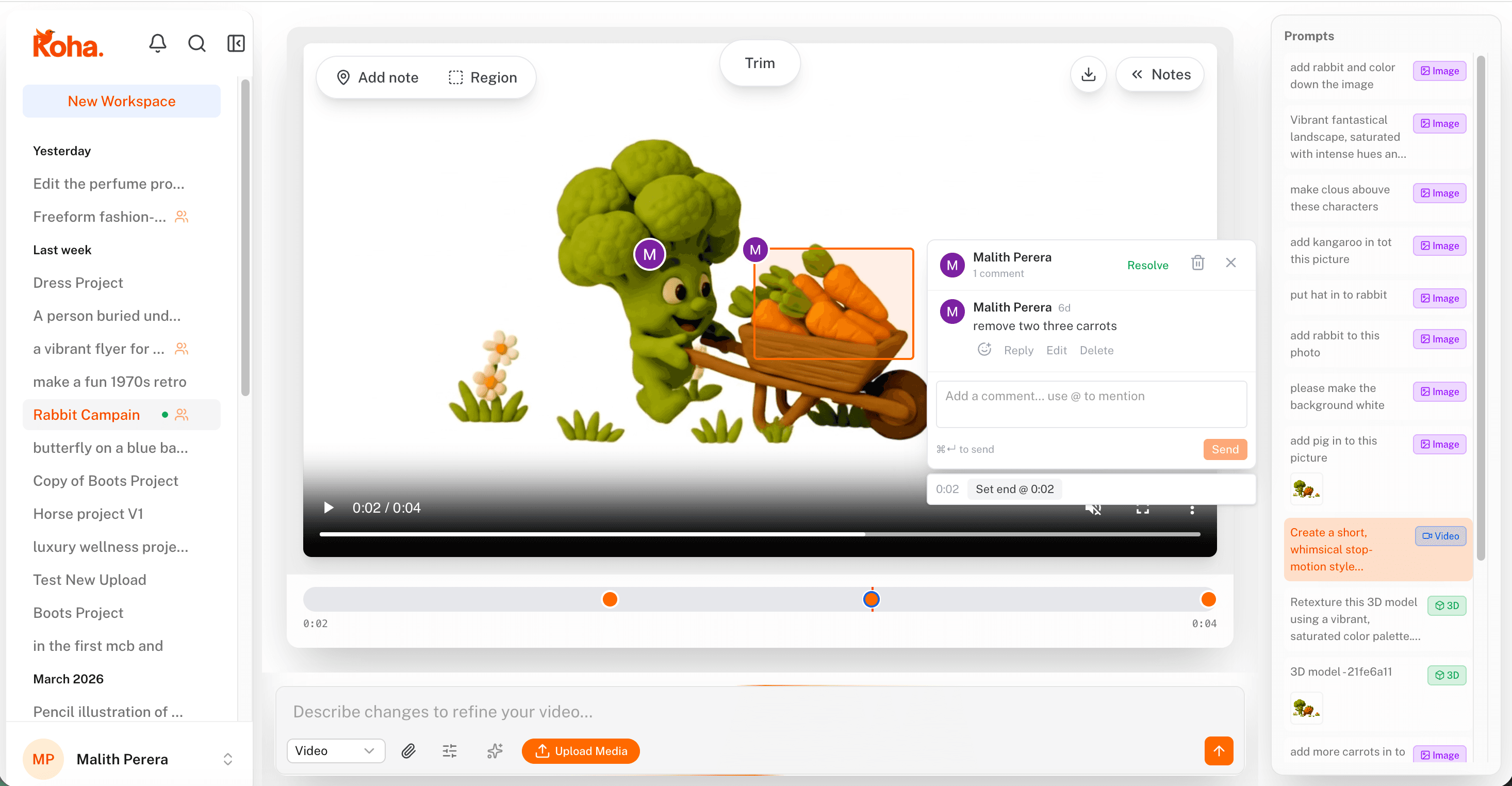
Frame-specific notes on a video, right where the team is already working.
Generation sits at the heart of Koha. You can create and re-edit:
- Images
- Videos
- 3D models
Previews stream as they render, you can drop in reference images, and every prompt you’ve tried stays on the side so you can go back a few steps without losing your train of thought.
It’s the kind of setup that makes experimenting feel cheap again, which is the whole point.
Real editing, not just filters
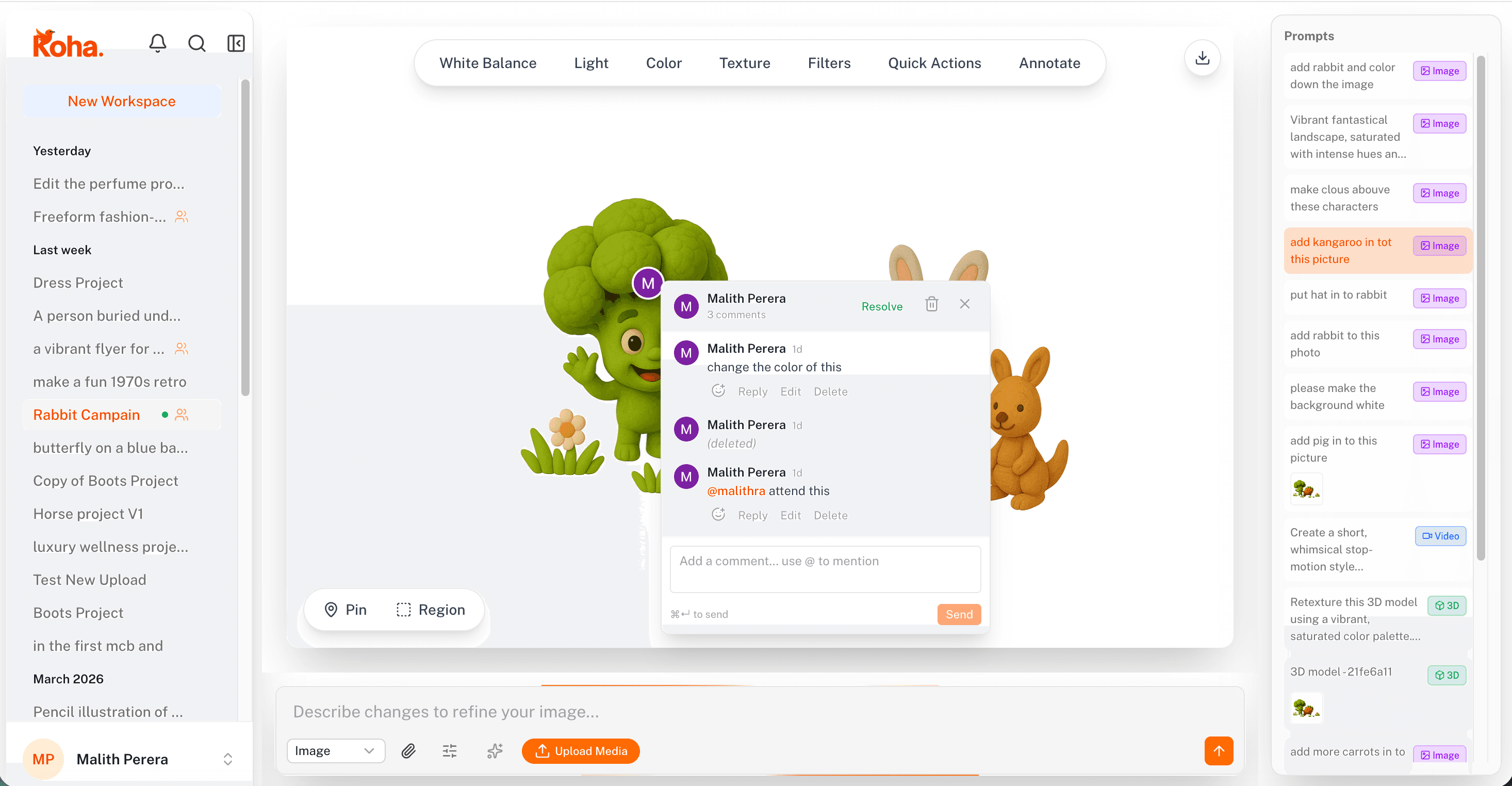
Mark up an image directly so nothing gets lost in translation.
Generation is only half the job. Most of the time what comes out needs a bit of love before it’s ready to ship, so we built proper editing into the same place.
You can bring in your own assets and work on them with:
- Controls like exposure and clarity
- Filters and visual tweaks
- Background removal
- Annotations and masks for precise changes
- Guided edits when you know what you want but not how to describe it
No more exporting to another app, losing a layer, and re-uploading. Editing happens where the work lives.
Review, without the email chain
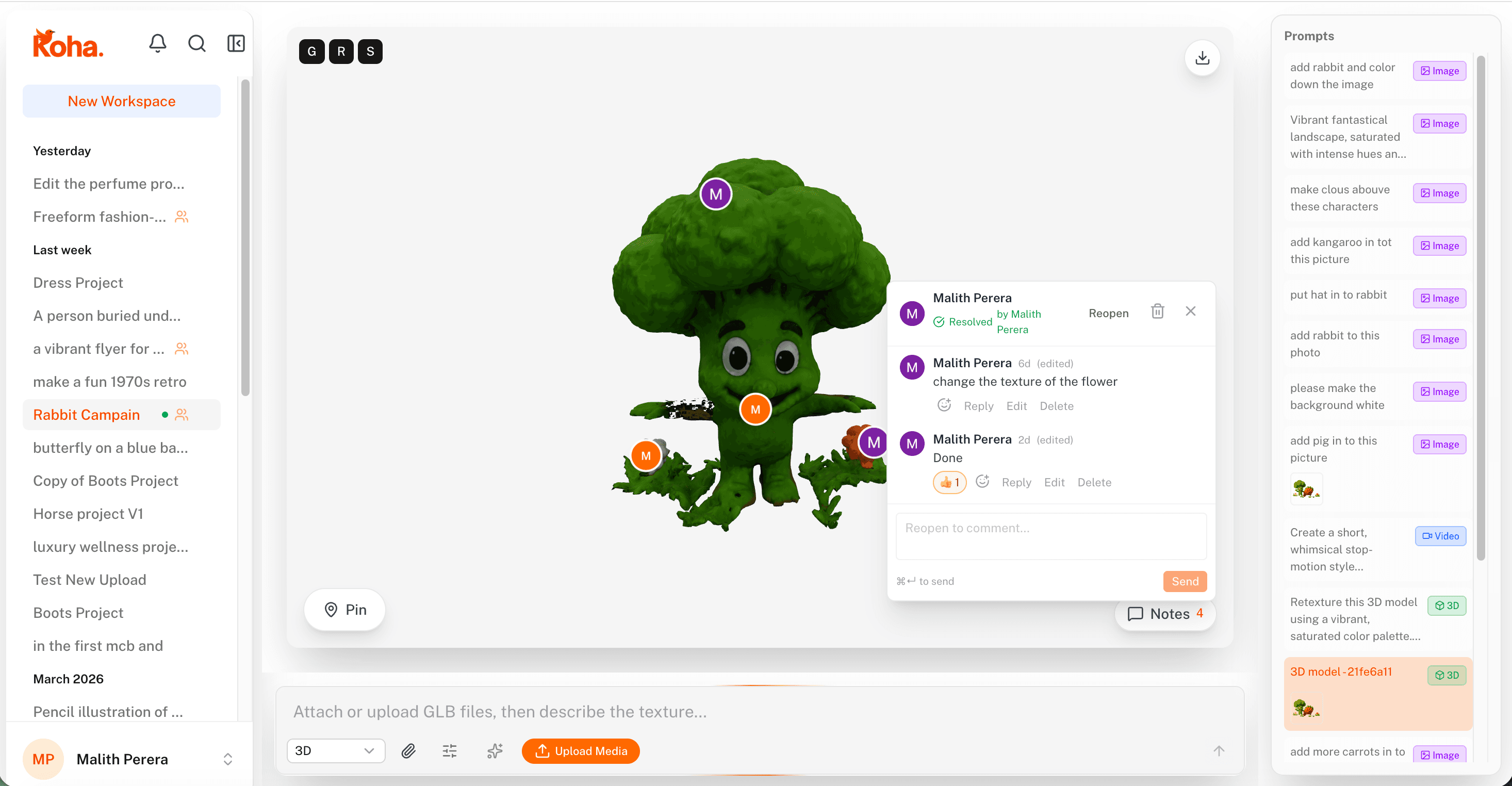
Pins on a 3D model stay attached even as you rotate it, so the note always makes sense.
Feedback is where most creative projects stall. Someone writes a paragraph about something you can’t see, someone else replies three days later, and by then the file has moved on.
Koha fixes this with pins. You drop one on the part you’re talking about, whether it’s an image, a frame of video, or a spot on a 3D model, and the conversation lives right there.
Your team can:
- Drop pins straight on the content
- Have threaded conversations in context
- Mark things as open, in review, approved, or rejected
- Keep feedback visible instead of scattered across inboxes
It’s a small change that makes review cycles feel a lot less painful.
Built for how teams actually work
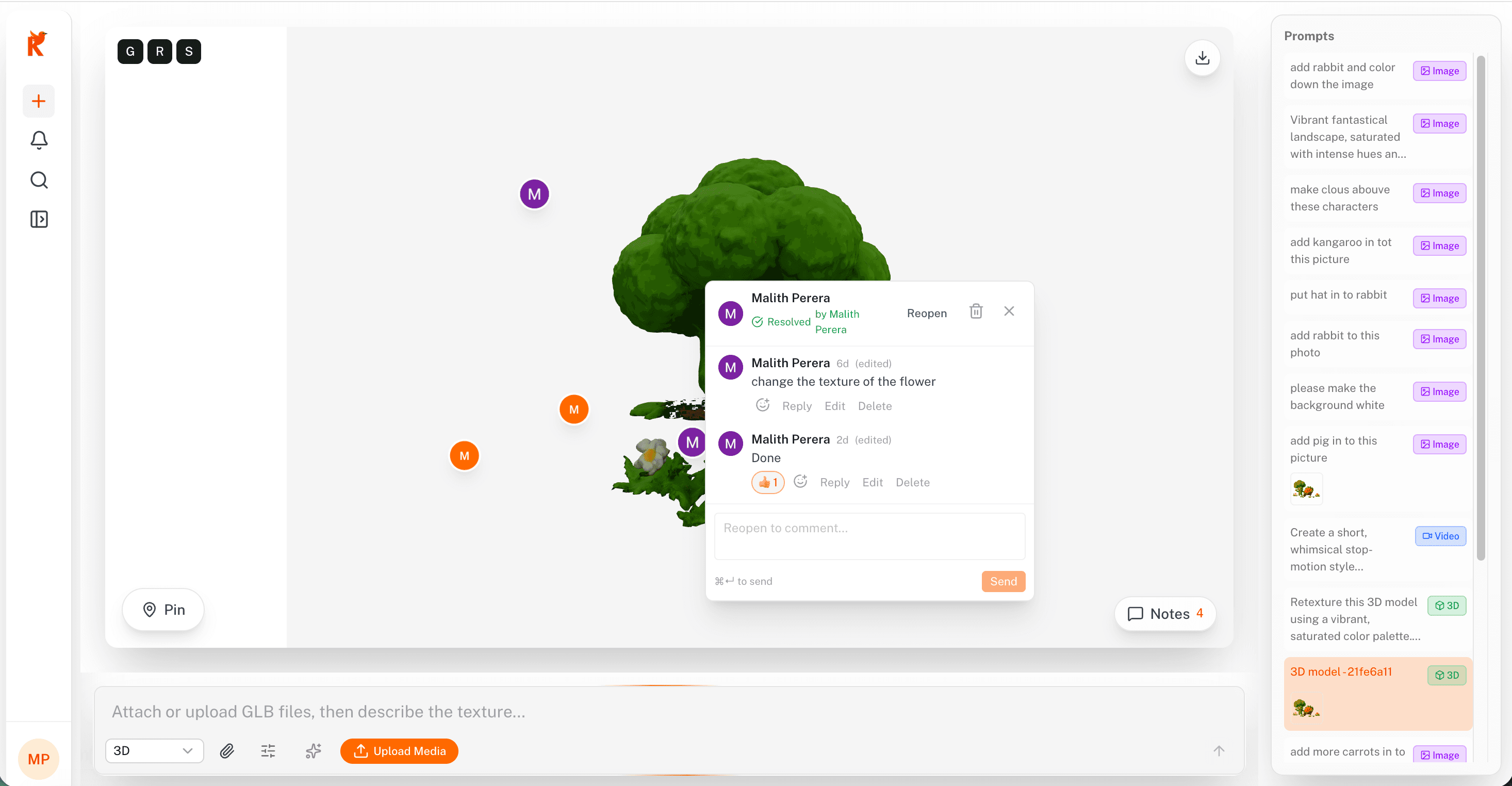
A quieter review mode when you just need to focus on the work.
Nobody makes creative work alone anymore, and we designed Koha around that. Inside the workspace you get:
- Team invites
- Roles and permissions
- Notifications
- @mentions
- Media sharing scoped to a workspace
- Live review dashboards
- Export-ready workflows
Designers, founders, clients: whoever needs to be in the loop can be, without passing files around.
Why we think this matters
Most AI tools stop at generation. Most editors ignore the team. Most review tools treat creative work like a spreadsheet. We kept running into this gap ourselves, which is part of why we started building Koha.
The pitch, if we had to put it on a bumper sticker:
Create. Edit. Review. Deliver.
All in one place, because that’s where creative software is going anyway.
Who it’s for
Koha fits well if you’re on a:
- Design team juggling approvals
- Marketing team shipping campaigns on tight timelines
- Agency dealing with client feedback rounds
- Ecommerce brand cranking out product visuals
- Startup that needs a content pipeline without hiring for one
- Creative team working across images, video, and 3D
Where we’re headed
The next wave of creative tools won’t just spit out media. They’ll carry a project from rough idea to final sign-off without making you switch apps five times.
That’s what we’re building with Koha. One workspace, start to finish.
If you’re tired of stitching tools together to get a single piece of content out the door, come take a look. We think you’ll feel at home.