Pin-Based Review for Images: Stop Describing, Start Pointing
 Koha Team•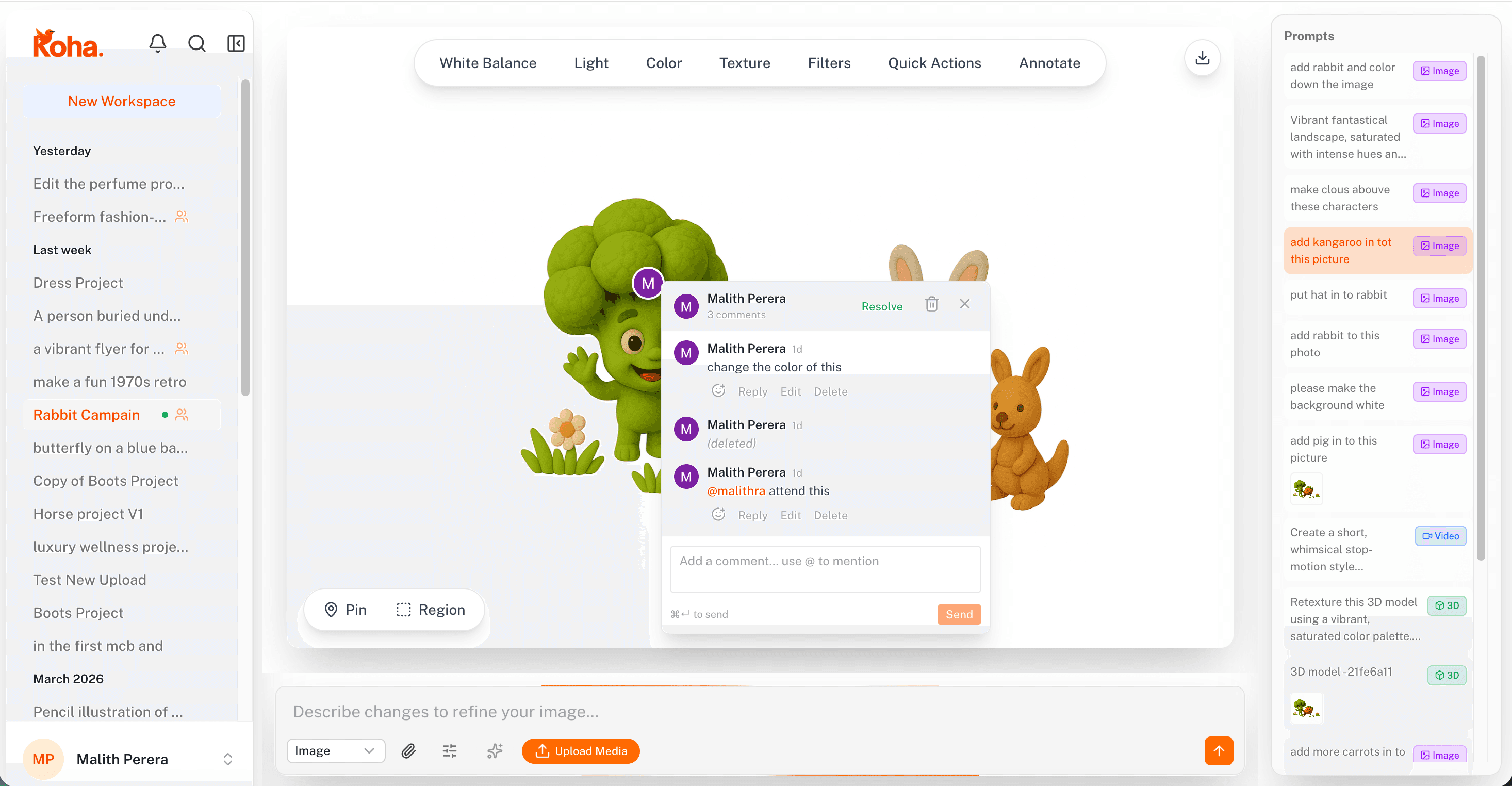
Pin-based review for images replaces the entire screenshot-and-Slack feedback loop with one move: drop a pin on the pixel you mean and type the note. No red arrows, no “the thing on the left,” no waiting for a designer to figure out which left you meant. The comment lives on the canvas, anchored to the spot it's about.
In Koha, a pin is a comment that's anchored to a specific point on the image. Click anywhere on the canvas, type, and the conversation lives at that pixel. Open the image a week later on a different screen and the pin is still there, still pointing at the same spot.
What changes when feedback has coordinates
The biggest shift is what gets said. When reviewers have to describe location in words, they hedge: “the area near the top-right, around the headline, just above the button.” By the time they've typed that, they've forgotten the actual feedback. With a pin, the location is free. You drop it and just say what you think: “too tight,” “wrong red,” “move 4px down.”
Reviewers stop padding their comments and start talking like designers do internally. Shorter, sharper, more specific.
Threads stay attached to the work
Each pin opens into a thread. The original comment, the designer's reply, the reviewer's confirmation, all live on the canvas next to the pixels they're about. Resolved threads collapse so the canvas stays clean, but the history is one click away if anyone needs to revisit a decision.
Compare that to the usual: a Slack thread with a screenshot, a Notion doc with a different version, an email chain with the export. Three places, none of them looking at the latest file. Pin threads cut that to one.
Designers can prioritize what to fix
When ten pins land on the same image, the cluster itself tells the designer something. Five pins on the headline area means the headline is the problem, even if no single comment was decisive. Two pins on the CTA means the CTA is mostly fine. The visual density of feedback maps directly to where attention is needed.
A flat list of comments doesn't do this. You read all of them, lose the spatial pattern, and end up doing pass after pass without knowing where the heat actually is.
Same workspace as the rest of the work
Pins aren't a separate review tool bolted on. They live in the same Koha workspace where the image was generated and edited, so going from feedback to fix is a single move. Drop into the editor, make the change, and the pin updates against the new version. No exporting, no re-uploading to a review tool, no version drift.
If you want the broader picture of how Koha pulls generation, editing, and review into one place, this overview covers it. Pin-based review is what makes the “review” part of that loop fast enough to actually use.
Once a team gets used to pointing at things instead of describing them, going back feels absurd. Try it on the next round of image feedback and watch how much shorter the comments get.