Bringing Pin-Based Review to PDF Documents
 Koha Team•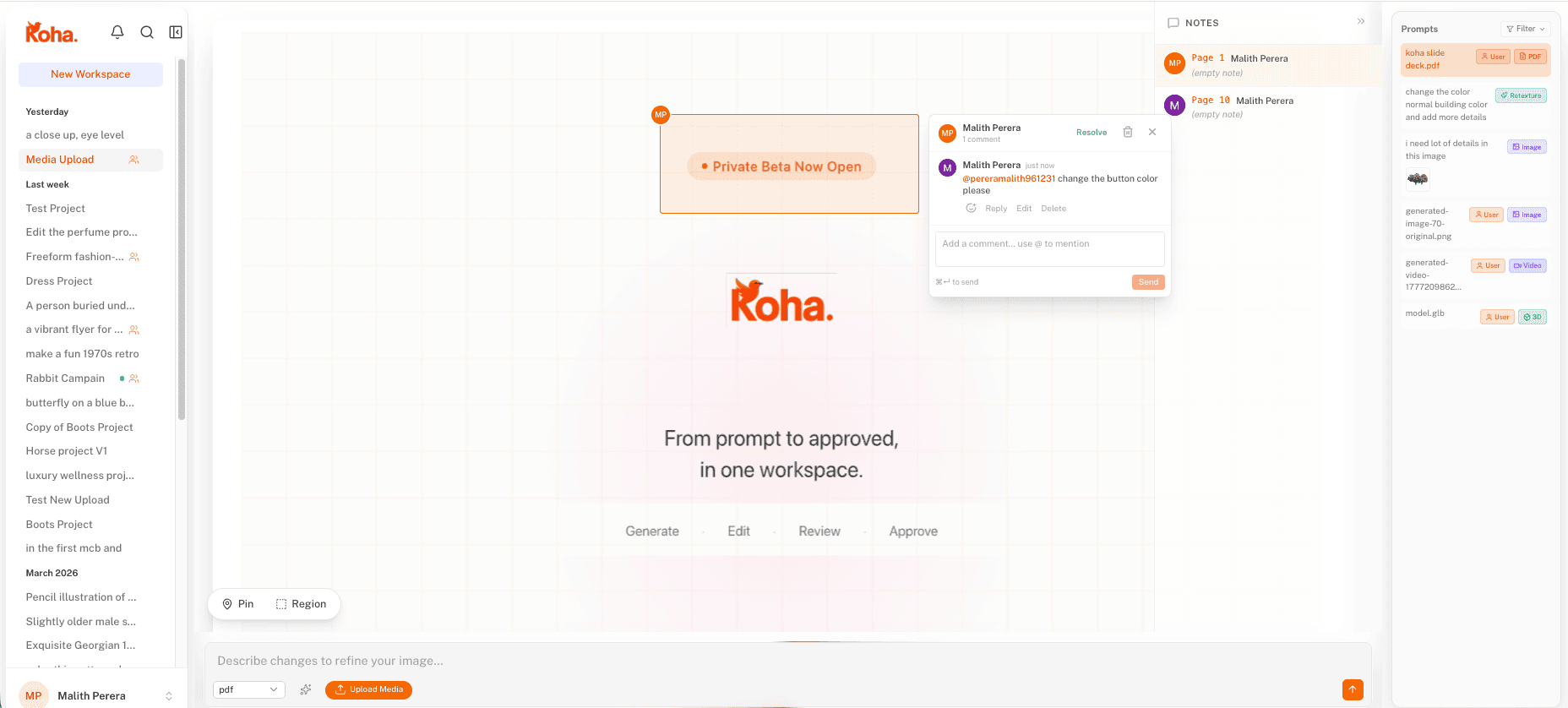
Spatial pins on a brand guide ensure every note is anchored to the exact element it describes.
If you’ve ever tried to run a review cycle on a PDF, you know the pain. You send a 20-page brand guide or a client deck, and a day later you get an email with a bulleted list of notes like “on page 12, the third paragraph is too long.” You spend ten minutes just trying to find which paragraph they mean.
At Koha, we believe feedback should be fast, visual, and impossible to misunderstand. That’s why we’re bringing the same precision of our image and video review tools to PDF documents.
Why PDF review is usually broken
The problem with traditional document review is that the conversation is detached from the content. Feedback lives in email threads, Slack messages, or vague comments in a shared drive, and on a 40-page brand guide that disconnect compounds fast: a designer spends ten minutes hunting for the paragraph a stakeholder meant before they can spend ten seconds fixing it. Projects slow down because the team is busy translating feedback instead of acting on it.
The precision of pin-based comments
With Koha’s new PDF support, you can now upload multi-page documents and treat them like any other creative asset.
- Pins that survive across pages: Anchor a comment to a specific sentence on page 3 or a color swatch on page 27, and it stays put as the document evolves.
- A page-aware sidebar: Every pin is grouped by page, so reviewers can jump straight to the spread they care about instead of scrolling through 40 pages of brand guidelines.
- Threaded replies: Keep the discussion focused on the specific change, not the whole document.
- State tracking: Mark each pin as ‘Open’, ‘In Review’, or ‘Approved’ so it’s clear what’s still blocking sign-off.
One workflow across every visual asset
Plenty of tools do PDF annotation. What makes Koha different is that PDFs aren’t a separate feature — they sit alongside the images, video, and 3D you’re already reviewing in the same workspace.
A typical branding project might include a moodboard, a motion logo, a product mockup, and the final brand guidelines. Usually those live in four different apps with four different comment systems. In Koha they live in one workspace, with one pin model and one approval state — so a reviewer can sign off the hero video and then jump straight into page 12 of the brand guide without changing tools or relearning a UI.